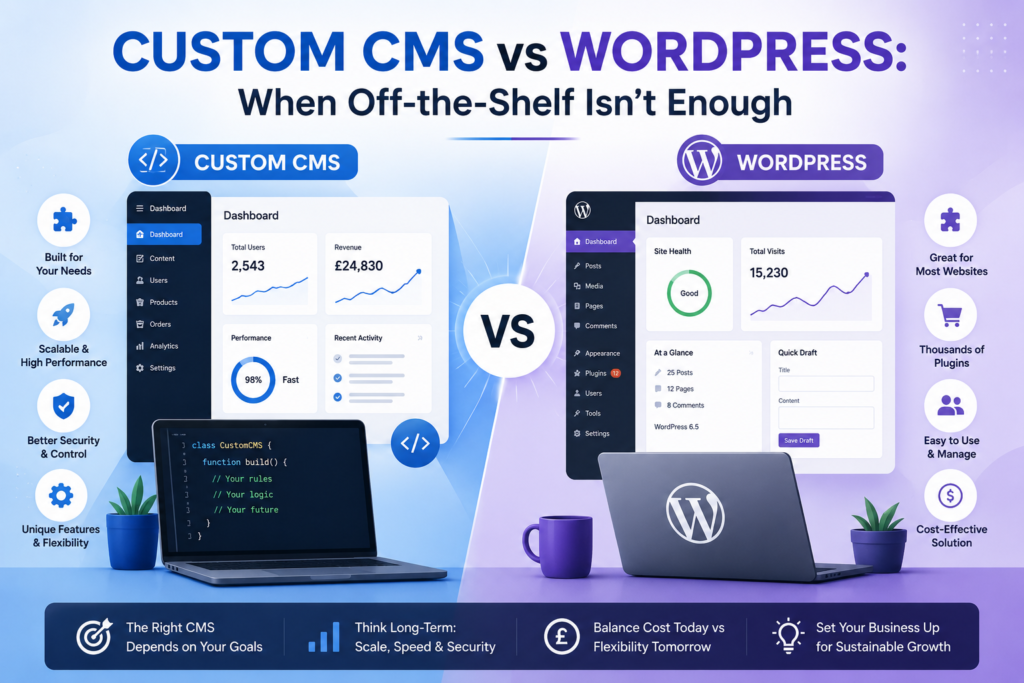
Custom CMS vs WordPress runs a huge share of the websites on the internet, and there’s a good reason for that: it’s fast to set up, cheap to start with, and there’s a plugin for almost anything you can think of. For a huge number of businesses, it’s genuinely the right answer, and it will probably remain the right answer for years.
But “most popular” and “right for your situation” aren’t always the same thing. Plenty of growing businesses start on WordPress, hit a wall a year or two in, and end up asking a question they didn’t expect to ask: should we build something custom instead?
It’s a question that tends to arrive quietly. Nobody wakes up one day and decides their CMS is wrong. Instead, it’s a slow accumulation of small frictions a plugin update that breaks the checkout page, a feature request that takes three workarounds to half-implement, a page speed score that keeps creeping down no matter how much caching you throw at it. Eventually, someone on the team says out loud what everyone’s been quietly thinking: maybe we’ve outgrown this.
This post is about answering that question properly not “which CMS is better” in the abstract, because that’s not a real question with a real answer, but how to tell which camp your business actually falls into before you spend money finding out the hard way.
Why This Question Even Comes Up
It’s worth pausing on why this decision feels so loaded for so many businesses. Part of it is cost a custom build is a bigger up-front investment, and nobody wants to greenlight a six-figure project only to find out six months later that a £40-a-year plugin would have solved the problem. Part of it is fear of the opposite mistake sticking with a generic platform for too long, watching competitors with purpose-built systems move faster, and realizing the “safe” choice was actually the expensive one in disguise.
And part of it, frankly, is that the CMS industry has a vested interest in making this sound more dramatic than it usually is. Agencies that only build custom software have an incentive to tell you WordPress can’t scale. Plugin vendors have an incentive to tell you WordPress can do literally anything if you just buy enough add-ons. Neither story is fully true. The real answer sits in the specifics of what your business actually needs, not in which camp is shouting louder in your search results.
So let’s get into the specifics.
What WordPress Actually Gives You
WordPress is an open-source content management system that now powers a substantial share of websites globally content sites, business brochures, online stores, blogs, and a fair number of more complex platforms too. It started in 2003 as a blogging tool and has grown, through an enormous open-source community, into something closer to a general-purpose web platform.
Its core strengths:
- Speed to launch. A working WordPress site can go live in days, not months. For a small business that needs an online presence yesterday, this alone can be decisive.
- Low upfront cost. Themes and plugins handle the vast majority of common functionality without custom code. You’re paying for assembly, not invention.
- Huge ecosystem. Page builders like Elementor, e-commerce via WooCommerce, SEO tools like Yoast or Rank Math, form builders, membership plugins, booking plugins almost any feature you can think of already has at least one existing plugin, often several competing ones.
- Easy content editing. Non-technical staff can update pages, blog posts, and images without touching code. The block editor (Gutenberg) has made this even more approachable for marketing teams who aren’t developers.
- Large talent pool. WordPress developers are everywhere, so finding help, hiring in-house, or switching agencies is rarely difficult or expensive compared to niche custom stacks.
- Strong SEO foundation. Out of the box, and especially with a few well-chosen plugins, WordPress handles the technical SEO basics sitemaps, schema, clean URLs well enough that most businesses never need to think about it.
- Mature hosting ecosystem. Managed WordPress hosting providers have turned a lot of the historically painful parts (security patching, backups, performance tuning) into something you can buy as a service rather than manage yourself.
For marketing sites, blogs, small-to-mid-sized e-commerce stores, portfolios, and most standard business websites, this is plenty. There’s no need to build something custom just to prove a point or chase a trend. If your needs are well within what WordPress and its plugin ecosystem were designed to do, custom development would be solving a problem you don’t actually have, at a cost you don’t need to pay.
Where WordPress Starts to Strain
The cracks tend to show up as a business grows past the “simple website” stage into something more like a product or platform. This isn’t usually sudden. It’s gradual, and that gradualness is part of what makes it hard to notice in real time.
Common symptoms, roughly in the order businesses tend to notice them.
Plugin pileup.
You’re running 25, 30, sometimes 50+ plugins to get the functionality you need, and they’re starting to conflict with each other, slow the site down, or break after WordPress core updates. Every plugin is also another piece of code you didn’t write, maintained by a team you don’t control, that your entire site now depends on.
Performance ceilings.
Page speed suffers under heavier traffic, image-heavy catalogs, or complex functionality, and no amount of caching plugins fully fixes it because the underlying issue is architectural, not configurational. You can cache a slow page, but you can’t cache your way out of fifteen plugins all hooking into the same page load.
Security overhead.
WordPress’s popularity makes it a constant, high-value target for automated attacks not because the core software is poorly built, but because there’s simply more surface area to attack across millions of sites running thousands of different plugin combinations. Every plugin is a potential vulnerability, and keeping everything patched, tested, and compatible becomes a recurring task rather than a one-time setup.
Workarounds instead of fit.
You’re bending plugins to do things they weren’t really designed for custom booking logic, multi-step approval workflows, dynamic pricing rules, account-based permissions and every workaround adds fragility. Each one is a small bet that this plugin will still be maintained, still be compatible with the next WordPress update, and still do the slightly-unusual thing you’ve configured it to do.
Scaling pain.
Multi-region content, complex permission structures, high-volume transactions, or integrations with internal systems (ERPs, custom APIs, proprietary databases, legacy software) start to feel like fighting the platform rather than using it. You spend developer hours translating your actual business logic into the shape WordPress expects, rather than building the logic directly.
Vendor lock-in by plugin.
Your site’s core functionality now depends on a handful of third-party plugin developers who could change pricing overnight, get acquired and deprioritized, or simply stop maintaining the plugin. This is a quieter risk than security, but it’s real businesses have had to scramble when a critical plugin was abandoned or its pricing model changed dramatically.
Editorial friction at scale.
Ironically, the same flexibility that makes WordPress easy for small teams can become a liability for larger ones. With multiple content teams, complex approval chains, or content that needs to populate a website, an app, and a partner feed simultaneously, WordPress’s page-and-post model can start to feel limiting rather than freeing.
None of this means WordPress is “bad” or poorly engineered it’s neither. It means WordPress was built to be a generalist content platform, and at a certain point, a generalist tool stops being a good substitute for something purpose-built. The frustration businesses feel at this stage usually isn’t really about WordPress; it’s about asking a general-purpose tool to behave like a specialized one.
What “Custom CMS” Actually Means
A custom CMS is a content management system built specifically around how your business actually operates, rather than asking your business to operate the way a generic platform expects. The phrase covers more ground than people often assume, and it’s worth breaking apart because the three common approaches have meaningfully different costs and benefits.
Fully bespoke build.
A CMS coded from scratch admin interface, content models, permissions, the works tailored entirely to your data and workflows. This gives maximum flexibility and zero compromise, but it’s also the most expensive and time-consuming route, and it puts the ongoing maintenance burden entirely on you or your development partner rather than a broad open-source community.
Headless CMS.
Content is managed separately from how it’s displayed. A headless setup stores and organizes your content through an API, and that content can then feed a website, a mobile app, a partner integration, even in-store digital signage, all from one source. Platforms like Contentful, Sanity, or Strapi sit in this space, and they can be configured (“custom” in the sense of being shaped to your content model) without building completely from zero. This is often the sweet spot for businesses that need genuine flexibility without the full cost of a bespoke build.
Custom-built on an open framework.
Rather than a WordPress-style all-in-one platform, this approach starts with a flexible base a framework like Laravel, Django, or a modern JavaScript stack and builds the specific functionality the business needs directly on top of it. You get some of the acceleration of using established tools, combined with the precision of building exactly what’s needed rather than configuring around what’s available.
The appeal across all three isn’t “custom for its own sake,” and it shouldn’t be approached that way. It’s that the CMS stops being a constraint and starts being infrastructure that matches the business exactly no workaround plugins, no unused bloat competing for server resources, no fighting against features you don’t need in order to access the one feature you do.
Custom CMS vs WordPress: Side-by-Side
| Factor | WordPress | Custom CMS |
|---|---|---|
| Time to launch | Days to weeks | Weeks to months, sometimes longer for fully bespoke builds |
| Upfront cost | Low | Higher, scaling with complexity |
| Long-term flexibility | Limited by plugin ecosystem | Built exactly to your needs |
| Performance at scale | Can degrade with plugin load | Built and optimized for your specific use case |
| Security surface | Larger (plugin-dependent) | Smaller, controlled, but entirely your responsibility |
| Maintenance | Frequent plugin/theme/core updates | Maintenance scoped to your actual code, no third-party plugin risk |
| Multi-channel content | Possible but often clunky | Natural fit, especially headless |
| Editing experience | Excellent, widely understood | Can be just as good, but must be designed in deliberately |
| Talent availability | Abundant, low switching cost | Narrower pool, often tied to the specific stack chosen |
| Total cost of ownership (3+ years) | Can rise sharply with plugin sprawl and rework | Often more predictable once built |
The honest tradeoff is upfront cost and time versus long-term fit. WordPress wins on speed and price today. A custom CMS wins on not having to re-platform in two or three years when you’ve outgrown it but only if the underlying need for custom functionality is real, not assumed.
A Closer Look: Cost Over Time, Not Just Cost Upfront
One of the most common mistakes in this decision is comparing the upfront cost of WordPress against the upfront cost of custom development and stopping there. That comparison almost always favors WordPress, because WordPress is designed to minimize day-one cost. But day-one cost isn’t the same as total cost of ownership.
Consider a hypothetical e-commerce business that starts on WordPress with WooCommerce. Year one: low setup cost, fast launch, happy team. Year two: traffic grows, the product catalog gets more complex, and they add a handful of plugins for subscriptions, advanced shipping rules, and loyalty points. Year three: those plugins start interacting in unexpected ways, page speed has degraded enough to affect conversion, and a planned mobile app means the content now needs to live in two places that don’t talk to each other cleanly. The business ends up commissioning a partial custom rebuild anyway except now it’s happening under time pressure, with existing customer data to migrate, and with three years of plugin-specific business logic to untangle and replicate.
Compare that to a business that recognized early based on a genuine multi-channel need or a known scaling trajectory that a custom or headless approach made more sense from the start. The upfront cost is higher in year one. But there’s no expensive, disruptive re-platforming event in year three, no migration risk, no scramble.
This doesn’t mean custom is always cheaper long-term for plenty of businesses, the growth and complexity that would justify a rebuild never materializes, and WordPress remains the right call indefinitely. The point isn’t that one path is universally cheaper. It’s that the right comparison is total cost of ownership over a realistic time horizon, not just the invoice for month one.
A Simple Way to Decide
Rather than treating this as a binary identity question “are we a WordPress business or a custom business” it helps to break it into specific, answerable questions.
Is your core need “publish and manage content,” full stop?
If the honest answer is yes you need pages, a blog, maybe a contact form and a simple store WordPress is very likely fine, and probably will remain fine for a long time. There’s no inherent virtue in choosing complexity you don’t need.
Are you assembling more than a handful of plugins just to replicate functionality a generic CMS was never meant to handle?
Custom booking logic, multi-tenant accounts, complex approval permissions, proprietary integrations with internal tools if you’re stacking plugin after plugin to simulate this kind of functionality, that’s a signal you’re already paying the “custom” cost, just inefficiently, spread across plugin licensing fees and developer hours patching things together rather than concentrated into a single well-planned build.
Does your content need to flow into more than just a website?
partner portal, digital signage, a customer-facing dashboard if content needs to reach more than one channel cleanly, a headless or custom setup usually handles that far more elegantly than trying to bolt API access onto a traditional WordPress install after the fact.
Is page speed or security already a recurring complaint from your team or your customers?
This is often the plugin load talking, not something more hosting budget can fix. If you’ve already tried upgrading hosting tiers and the complaints persist, the bottleneck is probably architectural.
Do you expect significant growth in complexity over the next one to two years not just traffic?
This distinction matters enormously and gets missed constantly. Growth in traffic alone more visitors, more orders of the same kind is something WordPress, properly hosted and optimized, handles reasonably well. Growth in complexity new business models, new integrations, new content structures, new channels is what actually breaks generic platforms. Be honest with yourself about which kind of growth you’re actually expecting.
What does your internal team actually know how to maintain?
custom solution that your team can’t maintain without an expensive agency retainer indefinitely isn’t necessarily a win. Factor in who keeps the lights on after launch, not just who builds it.
If you answered yes to two or more of questions two through five, it’s worth at least pricing out what a custom or headless build would look like before committing further budget to a WordPress workaround that’s quietly becoming its own expensive, fragile system anyway.
How This Plays Out Differently Across Industries
The “right” answer also shifts depending on the type of business asking the question, because the underlying pressures aren’t the same everywhere.
E-commerce. A small store selling a few dozen products can run comfortably on WooCommerce for years. But a retailer with complex inventory across multiple warehouses, region-specific pricing, B2B and B2C customers on the same catalog, or real-time stock sync with a physical point-of-sale system often finds that WooCommerce’s plugin-based approach to these problems becomes the single biggest source of bugs and slow page loads on the site. The tipping point here is usually less about traffic and more about the complexity of the catalog and pricing logic itself.
Media and publishing. Content-heavy sites are arguably WordPress’s strongest use case it was built for exactly this. The strain tends to show up only at significant scale: very high traffic volumes, complex editorial workflows across large teams, or a need to syndicate content across multiple branded properties and apps simultaneously. Most publishers, even fairly large ones, never need to leave WordPress; the ones that do are usually operating at a scale where a headless setup with WordPress still running as the content backend, feeding multiple front ends, is a common middle path rather than abandoning WordPress entirely.
SaaS and software businesses. This is often where the cleanest case for a hybrid approach shows up. The marketing site and blog genuinely benefit from WordPress’s editorial simplicity and SEO tooling. But the product itself the logged-in application customers actually use has nothing to do with content management in the traditional sense, and trying to build it inside WordPress (which does happen, and rarely ends well) creates exactly the kind of architectural mismatch this whole article is about.
B2B services and professional firms. These businesses often have genuinely simple needs an informational site, case studies, maybe a gated resources section and WordPress handles this with very little friction. The exception tends to be firms with client portals, proposal generators, or complex lead-routing logic, where the “content” need is small but the “application” need is real, again pointing toward a hybrid setup rather than an all-or-nothing choice.
Marketplaces and platforms with multiple user types. Businesses connecting buyers and sellers, or any two-sided platform, tend to hit WordPress’s limits earliest and most clearly, because permission structures, multi-party dashboards, and transaction logic are exactly the kind of complexity generic CMS platforms weren’t built around. These are often custom or headless from day one, rather than migrations from WordPress later.
The pattern across all of these: the deciding factor is rarely the industry label itself, but the specific shape of the complexity involved multi-party permissions, real-time data, proprietary integrations, or multi-channel content delivery. Two businesses in the same industry can land on opposite answers depending on these specifics.
What People Tend to Get Wrong in Both Directions
There are two failure modes worth naming explicitly, because both are common and both are expensive.
Overcommitting to custom too early. Founders sometimes reach for a fully custom build because it feels more “serious” or more impressive, or because a developer friend recommended it without fully scoping the actual business need. The result is a slower, more expensive launch for a business that, realistically, had needs WordPress could have handled comfortably for years. Custom development is a tool for solving specific, real constraints it’s not a status symbol, and treating it like one wastes money that could have gone into marketing, hiring, or product development instead.
Sticking with WordPress out of inertia. The opposite failure is staying on WordPress well past the point it stopped fitting, simply because migrating feels risky, expensive, or disruptive, and because each individual workaround feels small enough to tolerate on its own. The danger here is that the cost doesn’t disappear it just gets paid slowly, in degraded performance, security patches, developer hours spent on plugin firefighting, and missed opportunities, rather than all at once in a single visible invoice. Businesses in this position often don’t realize how much they’re already spending to avoid spending on a rebuild.
The healthiest version of this decision treats it as a genuine cost-benefit exercise revisited periodically, not a one-time identity choice made in year one and never reconsidered.
It Doesn’t Have to Be All-or-Nothing
It’s worth saying clearly: this isn’t a one-time, irreversible fork in the road, and it doesn’t have to be a company-wide, all-or-nothing decision either. Plenty of businesses run WordPress for their marketing site and blog where its content-editing simplicity genuinely shines while running a custom-built application, customer portal, or product backend for the parts of the business that actually need bespoke logic.
This hybrid approach lets a business keep the parts of its digital presence that genuinely benefit from WordPress’s simplicity and editorial ease, while building custom only where it actually earns its cost. A SaaS company, for example, might run its marketing pages and blog on WordPress for easy content team access and strong SEO tooling, while the actual product the dashboard customers log into and use — is a fully custom application built on a modern framework. Neither system has to do the other’s job.
This is also a fairly common pattern among development agencies that handle both kinds of work rather than specializing exclusively in one. RemoteDev.uk, for example, lists Custom CMS Development and WordPress Development as separate, parallel services rather than treating one as a strictly inferior or superior choice because in practice, the right answer genuinely depends on what the specific business is trying to do at that specific point in its growth, not on which platform happens to be trendier in developer circles that year.
What a Good Decision Process Actually Looks Like
If you’re facing this decision right now, rather than abstractly someday, here’s a reasonable path through it.
Audit what you’re actually doing today. List every plugin currently doing meaningful work on your site, and write down, honestly, what each one is compensating for. This alone often reveals patterns three plugins all partially solving the same underlying need is a strong signal.
Separate “nice to have” from “structurally necessary. Some workarounds are minor annoyances. Others are load-bearing remove them and a core part of the business stops functioning. Custom development is most clearly justified by problems in the second category.
Get a real quote for the custom path before deciding against it. A lot of businesses assume custom development is unaffordable without ever actually pricing it against their realistic alternative which is often not “stay on WordPress for free” but “stay on WordPress and keep paying for increasingly elaborate plugin workarounds and the developer time to maintain them.”
Consider a phased or hybrid approach rather than a single binary choice. As discussed above, you don’t have to migrate everything at once, or at all. Identify the highest-friction part of your current setup and consider solving just that piece custom, while leaving the rest as is.
Revisit the decision on a schedule, not just when something breaks. A yearly check-in on “does our current setup still fit how the business actually works now” catches the slow drift toward outgrowing a platform before it becomes an emergency.