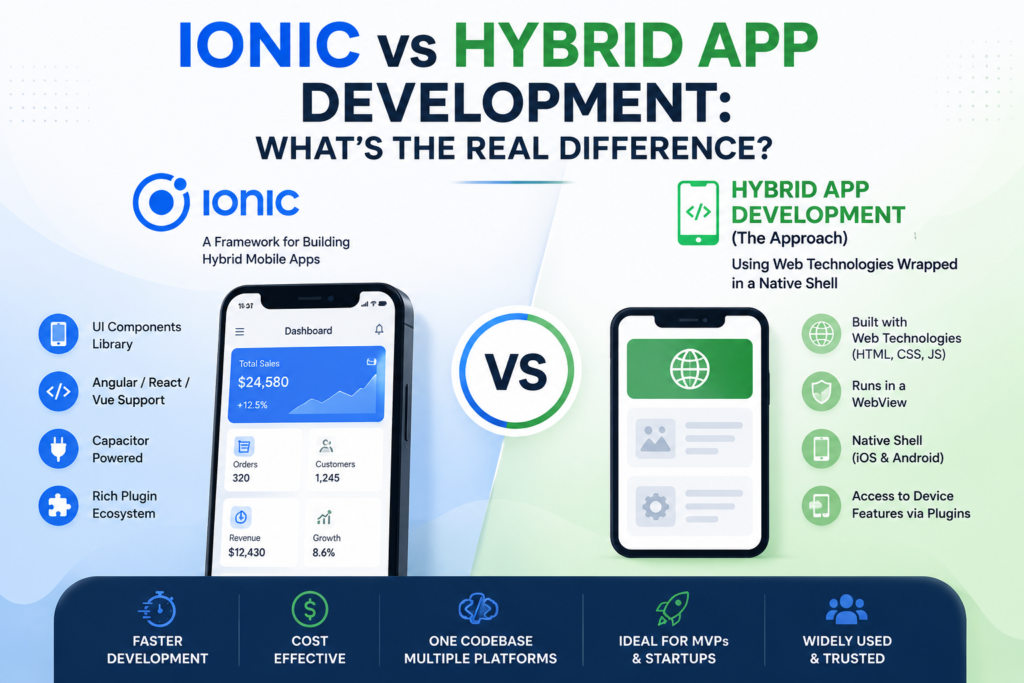
If you’ve spent any time researching mobile app Ionic vs Hybrid App Development, you’ve probably run into this confusing little knot: people use “Ionic” and “hybrid app development” almost interchangeably, as if they’re two names for the same thing. Then someone else tells you Ionic is just one option inside hybrid development, and now you’re more lost than when you started.
Here’s the short version, before we get into the details: hybrid app development is the category. Ionic is one of the tools used to build apps in that category. Saying “Ionic vs hybrid” is a bit like asking “what’s the difference between a hatchback and a car?” Ionic is a type of hybrid app framework, not a competing approach to it.
But that one-liner doesn’t really help you make a decision, so let’s unpack what each term actually means, how they relate, and more importantly which one makes sense for your project.
What “Hybrid App Development” Actually Means
Hybrid app development is an umbrella term for building mobile apps using web technologies HTML, CSS, and JavaScript and then wrapping that code in a native shell so it can run on iOS and Android like any other app, install from the App Store or Google Play, and access device features like the camera, GPS, or push notifications.
The “hybrid” part refers to the fact that the app is part web, part native. Under the hood, most hybrid apps render their interface inside a embedded browser component (called a WebView), while a thin native layer acts as a bridge to the phone’s hardware and operating system.
This approach sits in contrast to two other paths:
- Native development writing separate codebases in Swift/Objective-C for iOS and Kotlin/Java for Android.
- Cross-platform compiled frameworks like Flutter or React Native, which use a single codebase but render through native UI components rather than a WebView (more on this distinction below, because it matters).
Several frameworks fall under the hybrid umbrella, including Ionic, Apache Cordova, and Capacitor. They each have their own specialties, but they’re all solving the same basic problem: write once in web technology, deploy everywhere.
So What Is Ionic, Specifically?
onic is a popular open-source framework for building hybrid mobile apps. It was built on top of Angular originally, but today it also supports React and Vue, which has made it a lot more flexible for teams with different frontend preferences.
What makes Ionic distinct within the hybrid space
- A huge library of pre-built UI components buttons, tabs, modals, cards that are styled to look and feel native on both iOS and Android out of the box. This is a big time-saver, especially for MVPs and startups that need a polished UI without designing every screen from scratch.
- Built on Capacitor (or historically, Cordova) as the native runtime layer, which is what actually lets Ionic apps access native device APIs.
- A strong plugin ecosystem for things like biometric login, file storage, and camera access.
So when you hear “Ionic app,” what’s really being described is: a web app, built with Ionic’s component library and a JS framework like Angular or React, wrapped in Capacitor, and shipped as a native install on iOS and Android.
Where the Confusion Comes From
The mix-up happens because Ionic has historically been the most recognizable name in hybrid development much like how people say “Googling” instead of “searching the web,” or used to say “Cordova app” to mean any hybrid app a decade ago. Ionic became the face of the category, so the category name and the tool name started getting used as synonyms in casual conversation.
But technically, here’s the layered relationship.
Hybrid App Development (the category)
   ├── Ionic (framework, UI components + Capacitor under the hood)
   ├── Apache Cordova (older framework, native bridge only, no UI kit)
   └── Capacitor (modern native runtime, can be used with or without Ionic's UI)
Ionic isn’t “vs” hybrid it’s a specific implementation of it.
Hybrid Apps vs Cross-Platform Compiled Apps: The Comparison That Actually Matters
If you’re trying to choose a development approach for your business, the comparison you actually need isn’t “Ionic vs hybrid.” It’s hybrid (WebView-based, like Ionic) vs compiled cross-platform (like Flutter or React Native) vs fully native.
Here’s where they differ in practice.
| Factor | Hybrid (Ionic) | Compiled Cross-Platform (Flutter/React Native) | Native (Swift/Kotlin) |
|---|---|---|---|
| Codebase | Single (web tech) | Single | Separate per platform |
| Rendering | WebView | Native UI components | Native UI components |
| Performance | Good for most apps; can lag on heavy animation/graphics | Closer to native | Best possible |
| Development speed | Fastest | Fast | Slowest |
| Cost | Lowest | Moderate | Highest |
| Best for | MVPs, internal tools, content-driven apps, e-commerce | Apps needing near-native feel with one codebase | Games, AR/VR, apps needing deep OS integration |
| Access to native APIs | Via plugins (Capacitor/Cordova) | Strong, built-in | Full, unrestricted |
The honest tradeoff: Ionic apps are quick to build and cheap to maintain because your web developers can build the whole thing without learning Swift or Kotlin. The cost is that WebView rendering, while much improved over the last several years, still isn’t quite as snappy as a fully compiled native UI especially for apps leaning on complex gestures, heavy animation, or 3D graphics.
For the vast majority of business apps booking platforms, e-commerce, dashboards, internal tools, content apps that performance gap is small enough that nobody notices. For games or apps competing on buttery-smooth interaction, it can matter a lot.
When Does Ionic (Hybrid) Make Sense?
Ionic tends to be the right call when:
- You’re building an MVP and need to validate an idea before investing heavily.
- Your team already has strong web development skills (Angular, React, or Vue) and you want to reuse that talent rather than hiring native specialists.
- Your app is largely content- or form-driven think booking systems, loyalty apps, B2B tools, marketplaces rather than graphics-intensive.
- Budget and time-to-market matter more than squeezing out the last 5% of performance.
- You want one codebase to maintain instead of two or three.
This is also why agencies that specialize in fast MVP delivery RemoteDev.uk is one example, offering Ionic, hybrid, Flutter, and React Native development side by side tend to lean on Ionic specifically for startups racing to get a working product into users’ hands without burning through runway on a native build they might end up changing six times anyway.
When Should You Look Elsewhere?
Skip hybrid and consider Flutter, React Native, or native development if.
- Your app relies heavily on animations, custom gestures, or real-time graphics (games, AR experiences).
- You need the absolute best performance on lower-end devices.
- You’re building something hardware-intensive think Bluetooth-heavy IoT control apps or apps needing constant background processing.
- Long-term, you expect to need deep, frequent access to brand-new OS features the day they launch (native still wins here).